Use the steps to create a new user.
1. Click Add User.
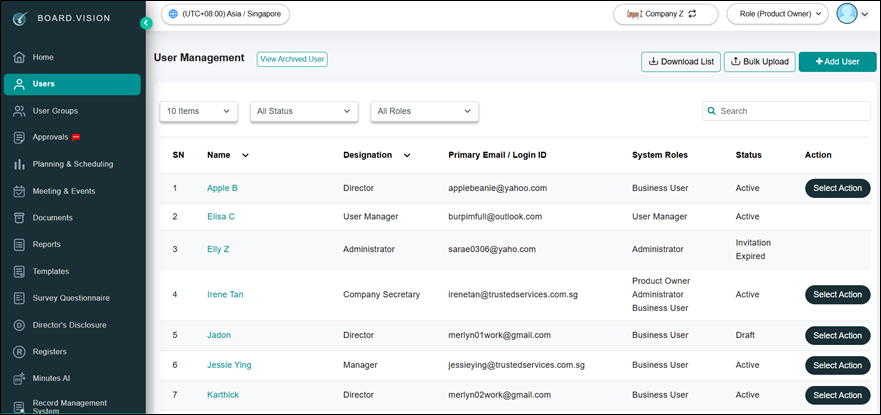
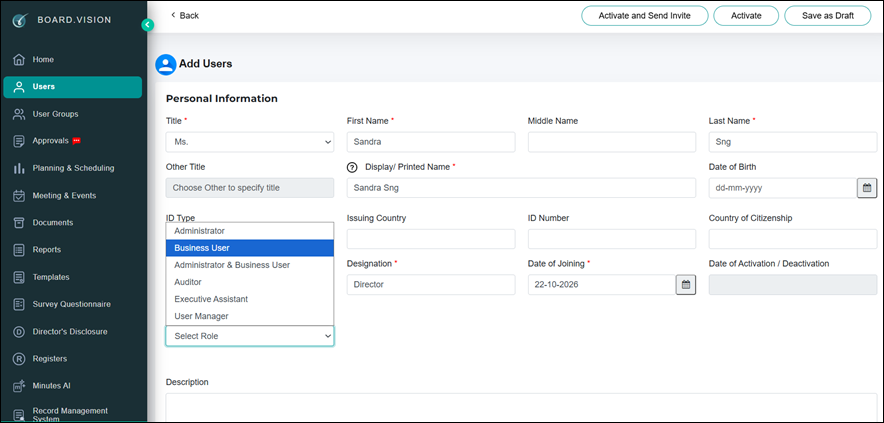
2. Enter the user’s details, then select the appropriate user role.
3. Enter user’s email address and mobile number.
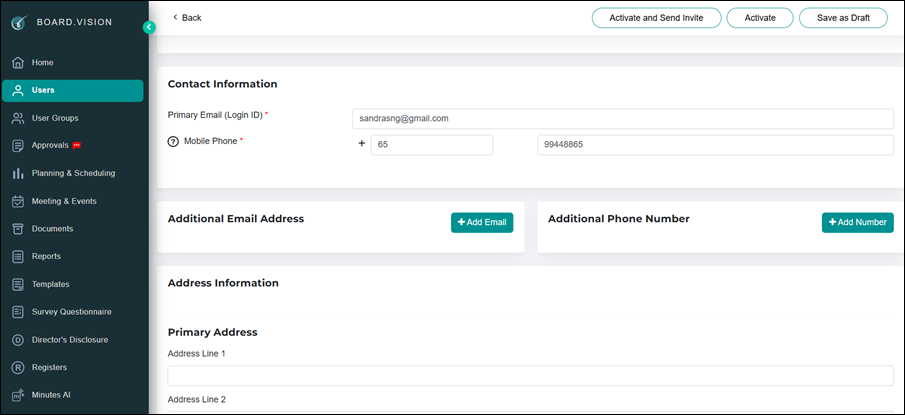
4. Click Activate and Send Invite.
5. Click Activate to add the user without sending a notification. Use this option when the user has been added to several companies and does not need a separate notification for each.
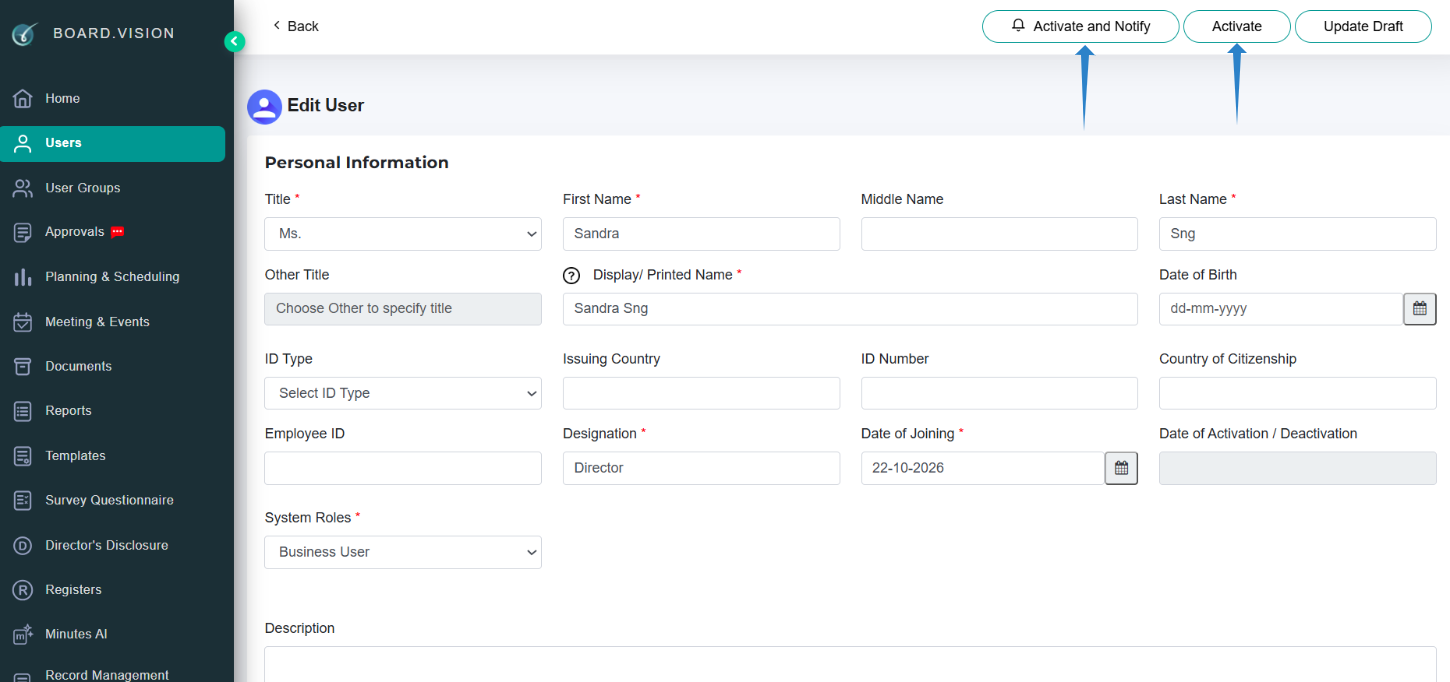
Important note: The user’s account activation link expires after 10 days. If the link expires, an administrator can resend the invitation from the user’s profile.
If you face any issues, please reach out to our Board.Vision Customer Success Team at support@board.vision or +65 6909 7100 and we will be happy to help.
Our hotline operating hours are from Mondays to Fridays 9:00 AM to 6:00 PM SGT (excluding public holidays).
Was this article helpful?
That’s Great!
Thank you for your feedback
Sorry! We couldn't be helpful
Thank you for your feedback
Feedback sent
We appreciate your effort and will try to fix the article