Welcome to Board.Vision Tutorials!
In this tutorial, we will walk you through the steps to edit your profile.
Important Note: Board.Vision web app is supported on Google Chrome (version 65.0 and later) and Microsoft Edge (version 87.0 and later).
To edit your profile:
1) Log in to your Board.Vision account using your registered email address and password.
2) Click on Your Profile Picture at the top right of your screen and select My Profile.
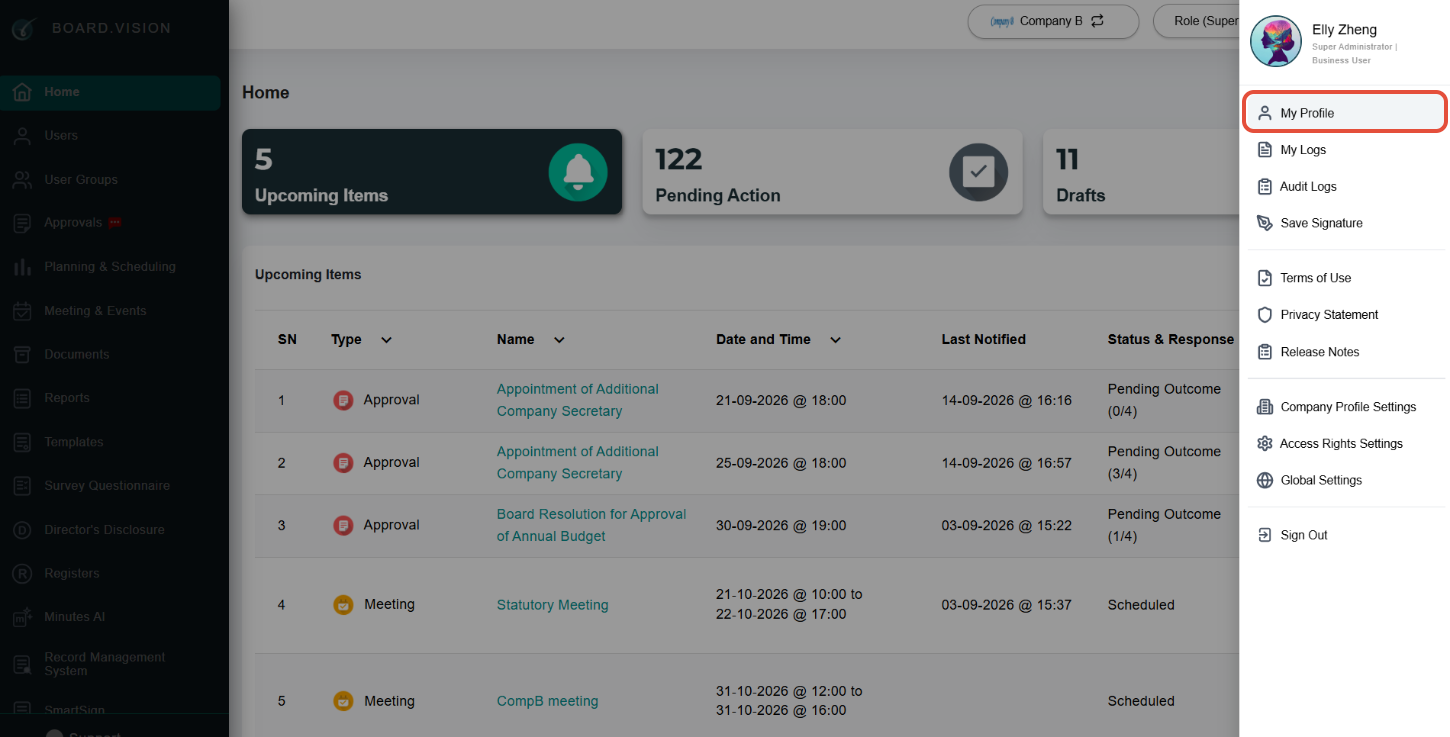
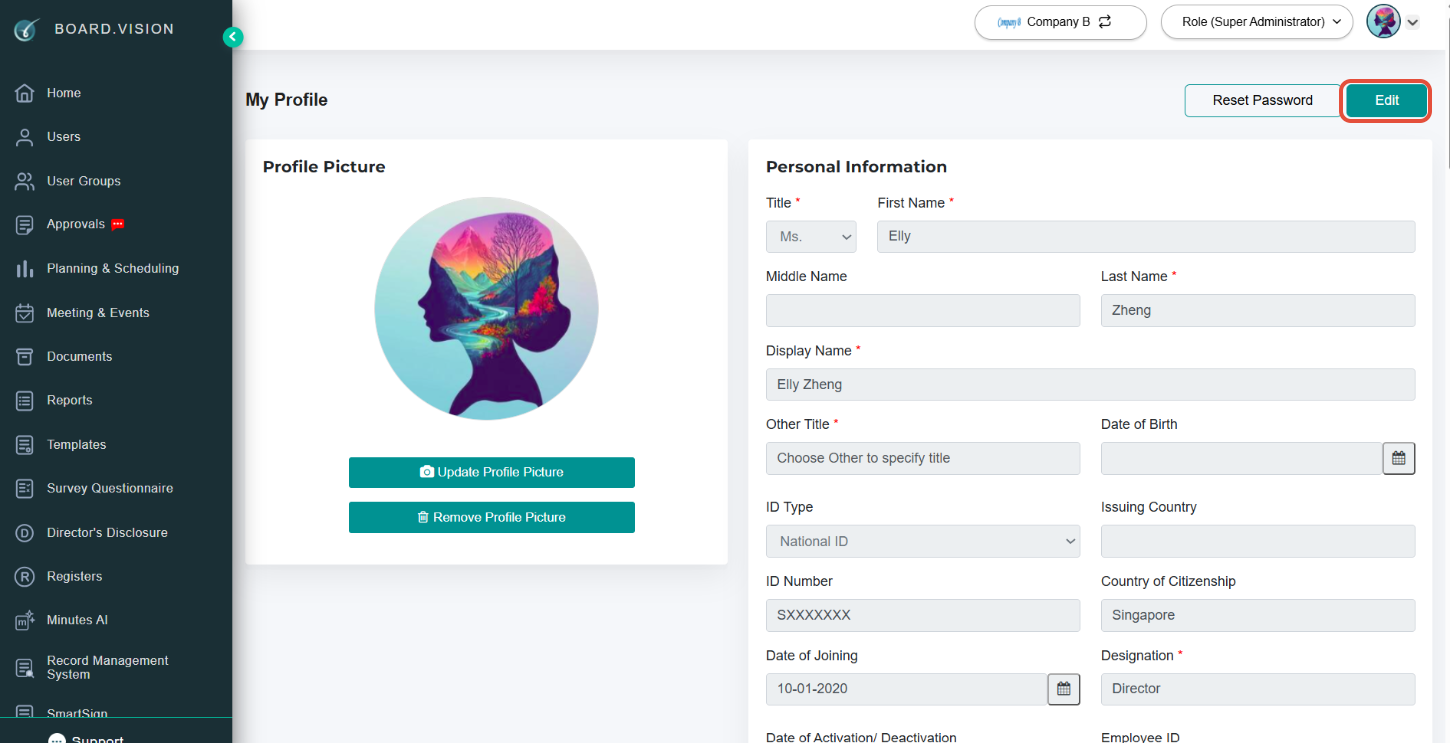
3) Click on Edit.
4) Once you have updated your information, click on Save.
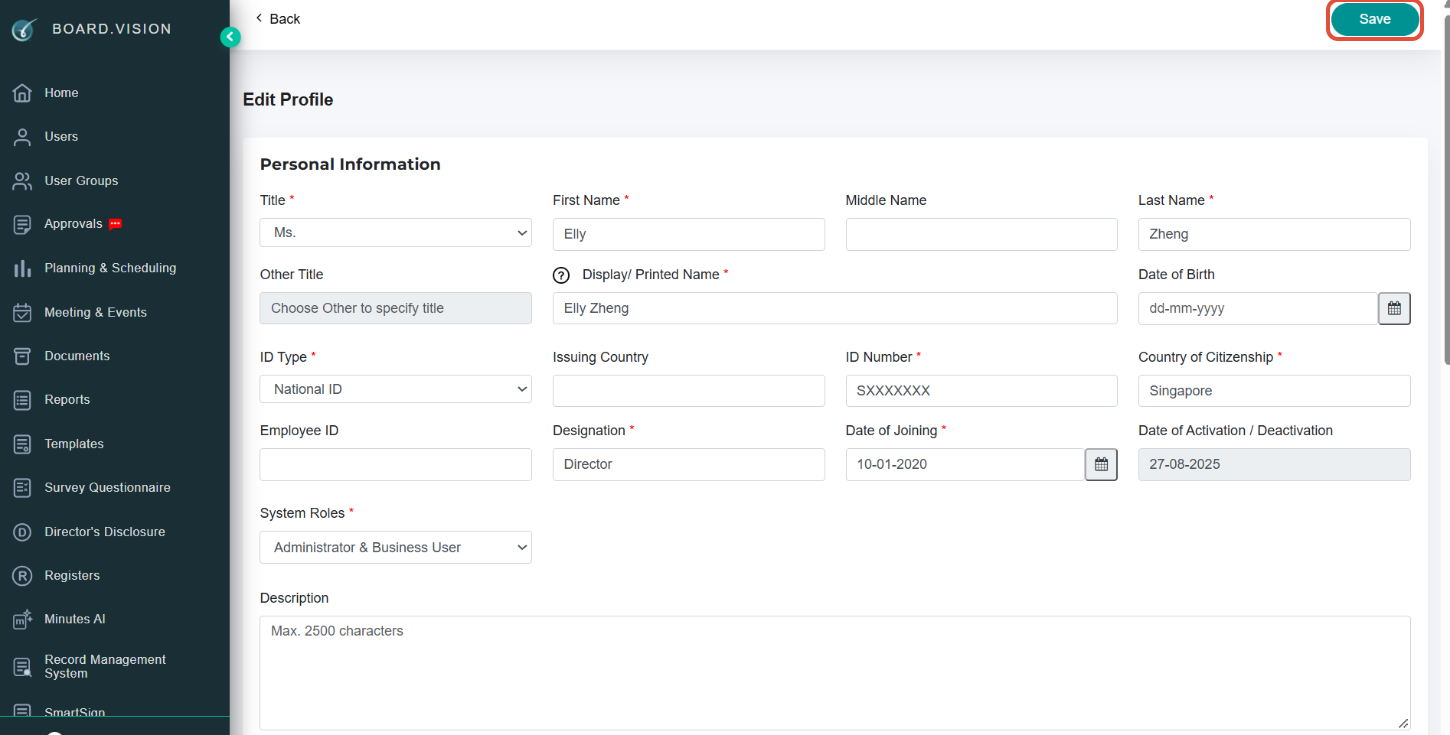
Important Note: You will not be able to update your email address via your profile page. Please write your request to Board.Vision Customer Success (CS) Team via the support email provided below, should you require us to update your email address.
You have completed the tutorial on editing your profile.
If you face any issues, please reach out to our Board.Vision Customer Success Team at support@board.vision or +65 6909 7100 and we will be happy to help.
Our hotline operating hours are from Mondays to Fridays 9:00 AM to 6:00 PM SGT (excluding public holidays).
Was this article helpful?
That’s Great!
Thank you for your feedback
Sorry! We couldn't be helpful
Thank you for your feedback
Feedback sent
We appreciate your effort and will try to fix the article