We have updated the user interface for the Add New Template and Document pages in the SmartSign module.
The Add New Template and Document pages have been redesigned with clearer sections and an improved layout to provide a more intuitive user experience.
The updated layout now organises information into clearer sections, including:
- SmartSign Name
- Upload Documents
- Select Template (Optional)
- Configure Settings
- Add Administrator / Preparer
- Add Signatories
- Additional Message
Below is a comparison of the previous and current designs for your reference.
1. Add New Template page
Previous Design | 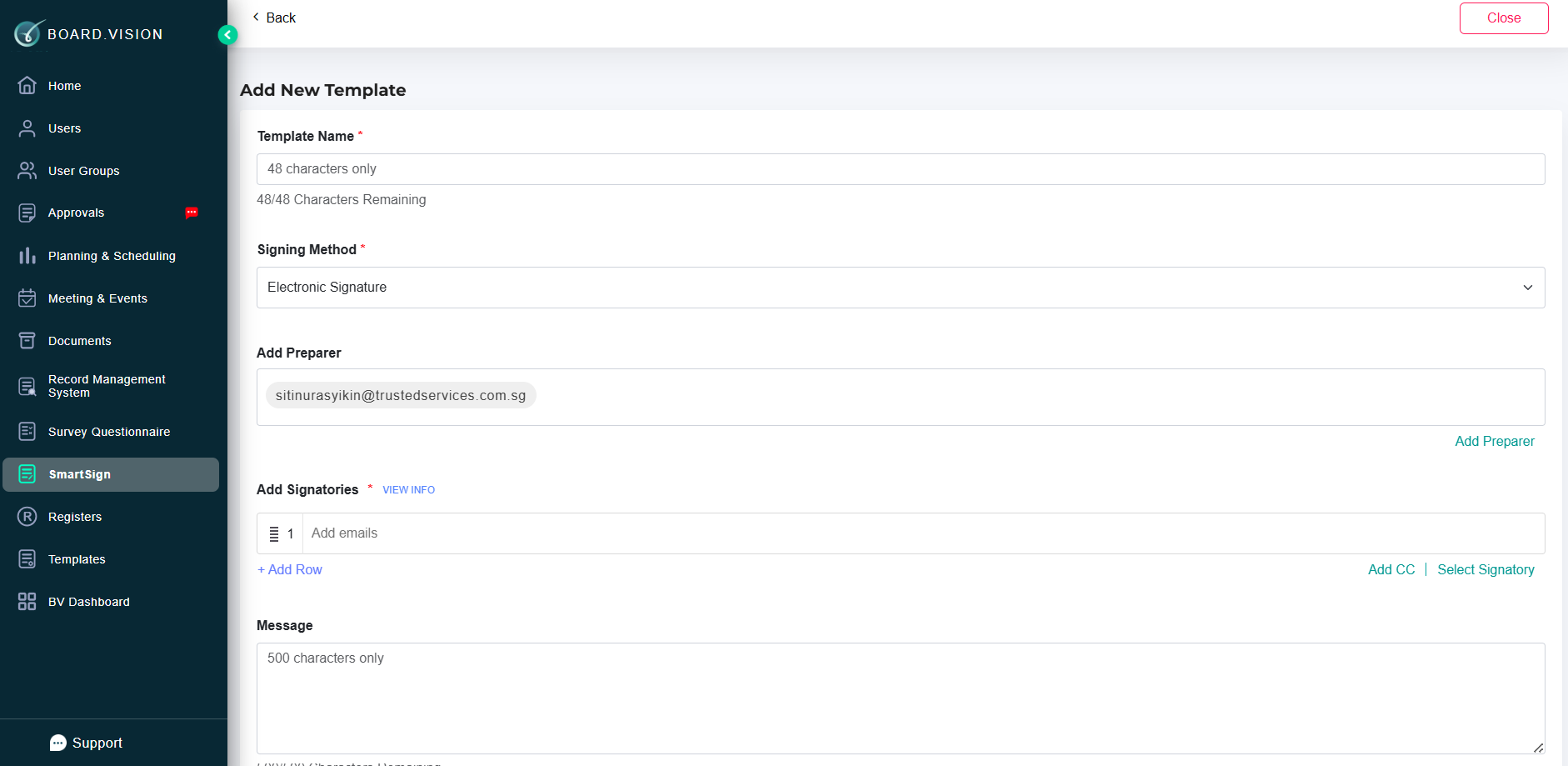 |
Current Design | 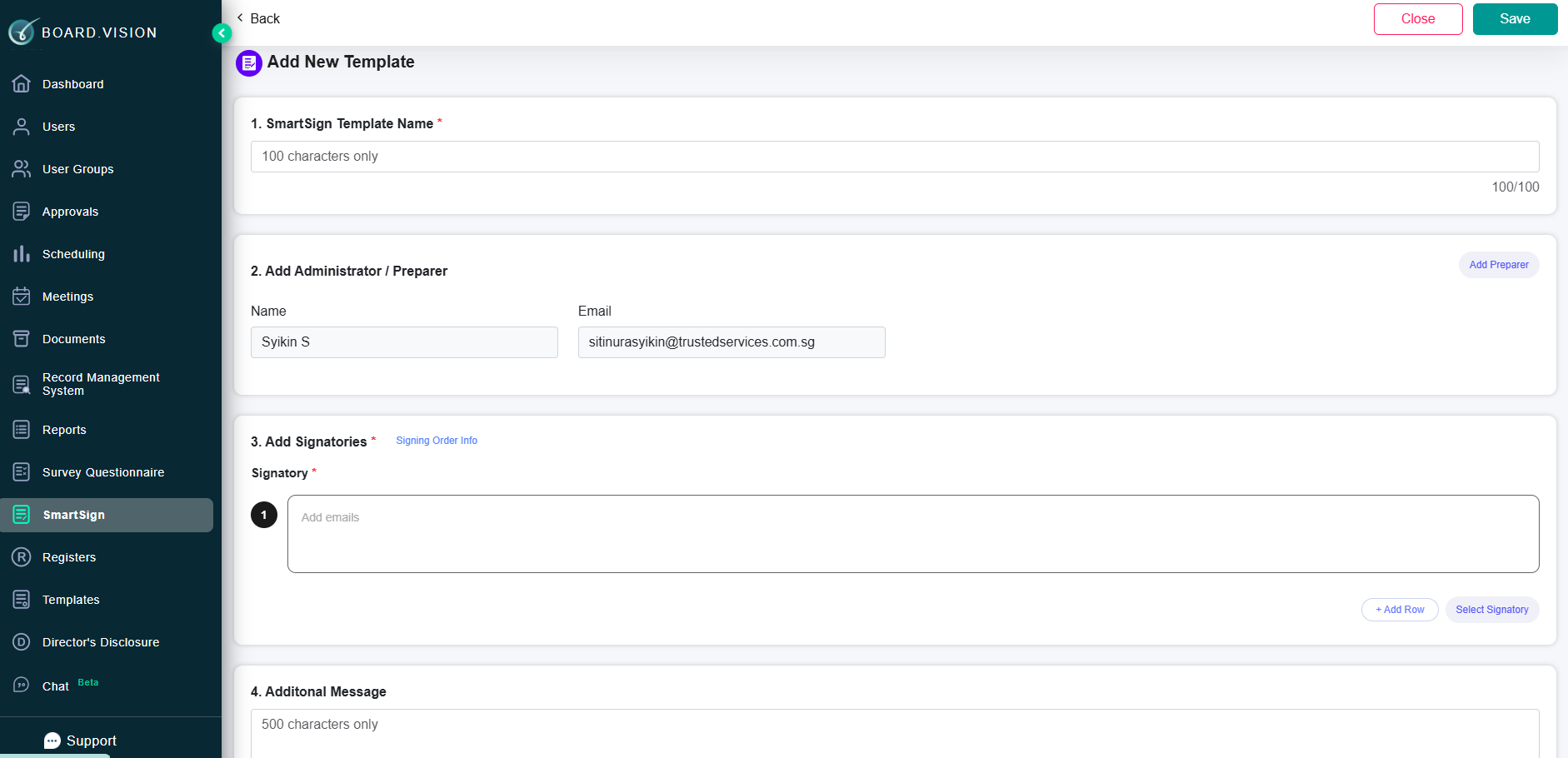 |
To find out more on how to create a new template, click here.
2. Add New Document page
Previous Design | 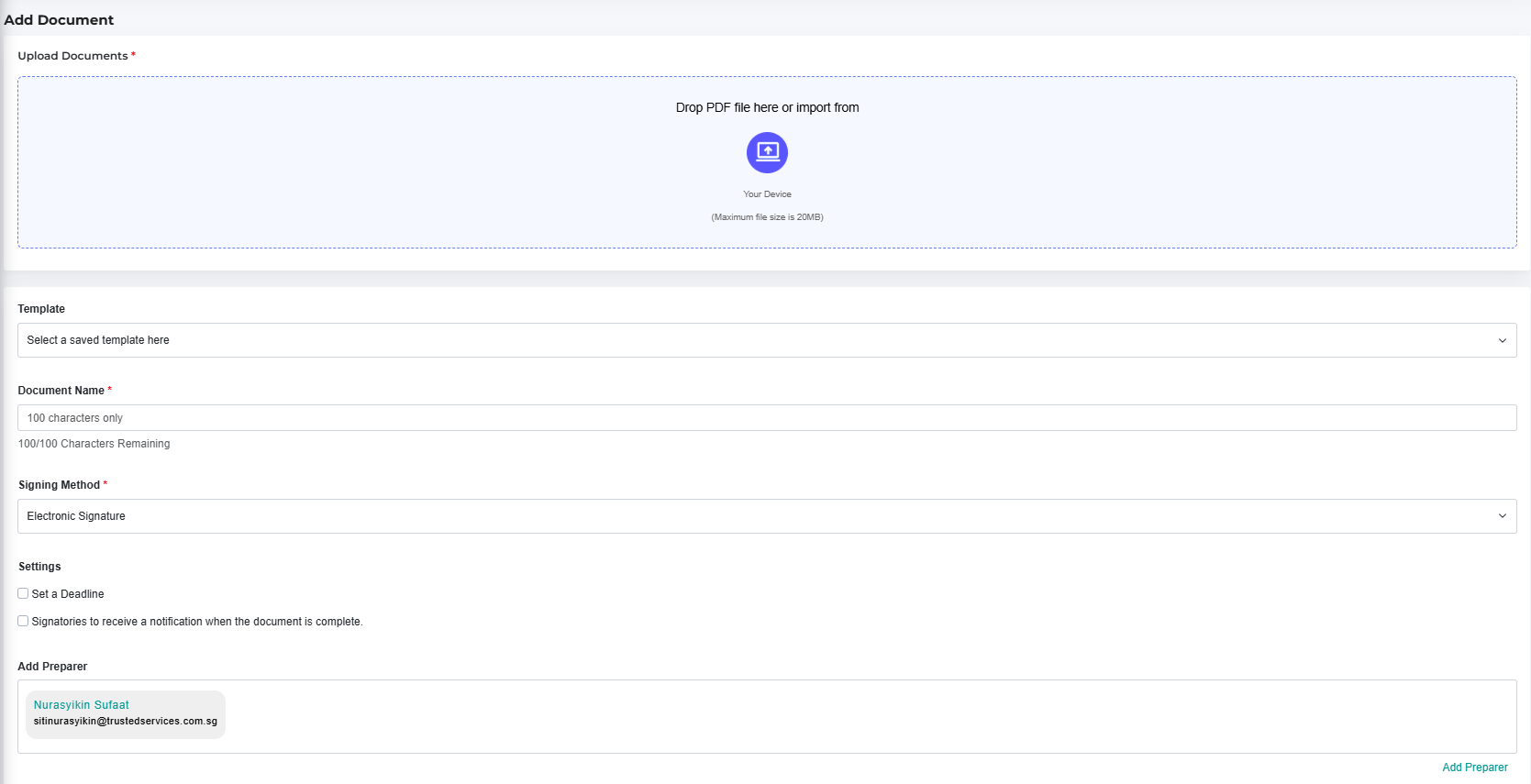 |
Current Design | 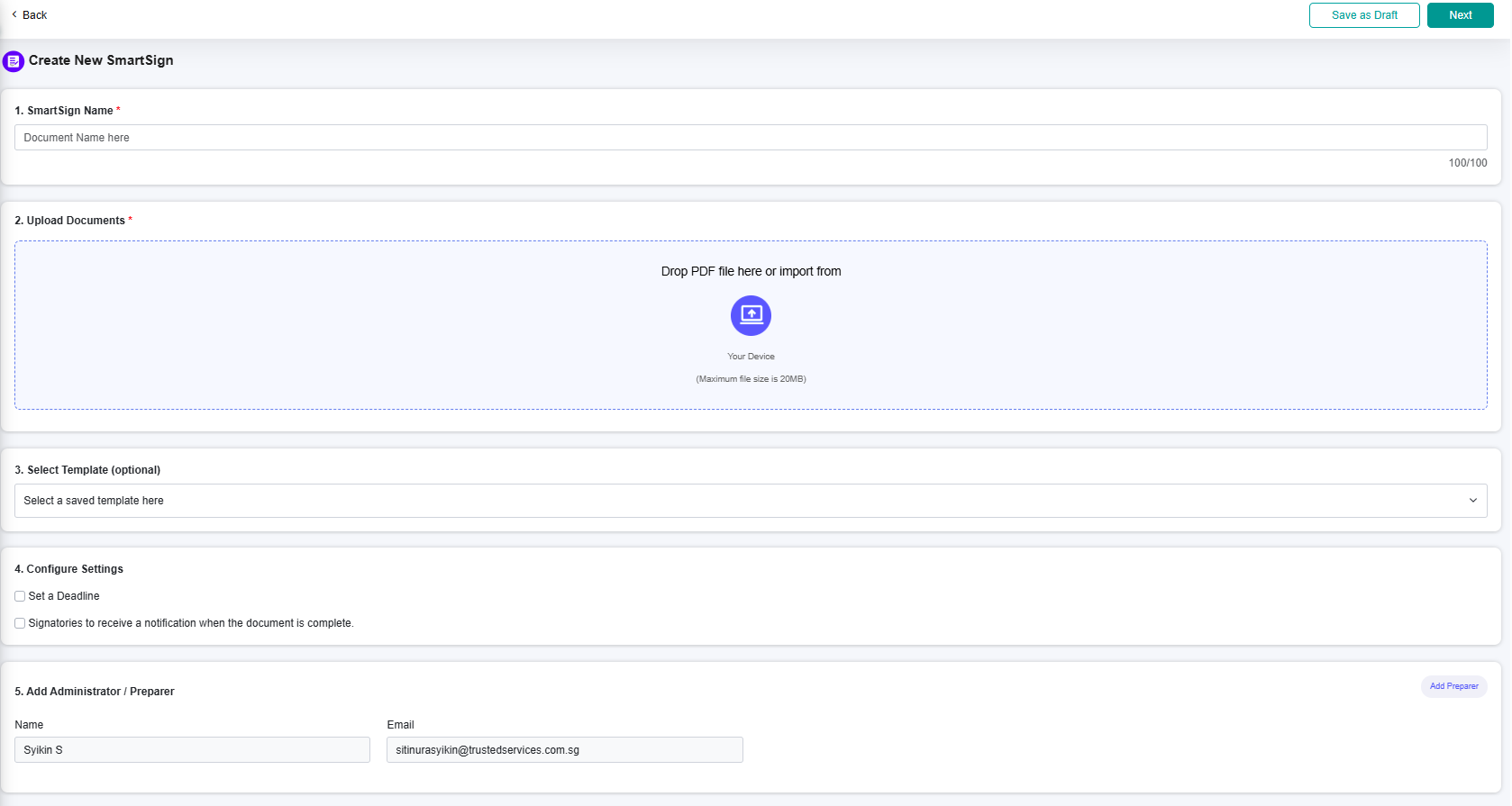 |
To find out more on how to create a new SmartSign document, click here.
If you face any issues in completing the steps shown in this tutorial, please reach out to our Board.Vision Customer Success Team at support@board.vision or +65 6909 7100 and we will be happy to assist you.
Our hotline operating hours are Mondays to Fridays, 9:00 AM to 6:00 PM SGT (excluding public holidays).
Was this article helpful?
That’s Great!
Thank you for your feedback
Sorry! We couldn't be helpful
Thank you for your feedback
Feedback sent
We appreciate your effort and will try to fix the article